
VidNeat Features: Native macOS Video Downloader & Trimmer
Version 1.0.5. Everything below ships today, including the parts that are unglamorous — like the fact that the app writes MP4 and nothing else.
Selective Segment Fetching
Set the In and Out points before downloading and only that section is requested. Where the source supports it, a 30-second clip costs 30 seconds of transfer instead of the whole file.
Stream-Copy Trimming
Trimming copies the compressed video and audio packets straight into a new MP4. Nothing is decoded, so there is no generational quality loss and no wait on an encoder. Cuts land on the nearest keyframe.
Audio Studio
Extract audio as MP3, M4A, FLAC, WAV or Opus with artist, title, and artwork written into the file automatically. MP3 is encoded at best-quality variable bitrate rather than a fixed target.
Channels & Playlists
Watch channels and get checked every hour, with New and This week filters so you see what is actually new. Playlists open a curation sheet for search, selection, and sequential numbering.
Subtitles & SponsorBlock
Fetch official or auto-generated captions in any language, embedded in the MP4 or saved as a .srt beside it. SponsorBlock removes sponsor and self-promo segments during download, or marks them as chapters.
Trim a YouTube Video Before Download
Mark In and Out before you download. Only that section is requested where the source allows it, then cut without a re-encode.
Mac Video Clipper from a URL
Start from a link in the app, the browser or a script, and end with an MP4 of just the range you chose.
Browser & Script Integration
A companion extension for Chrome, Brave, Edge, Opera and Vivaldi; a bookmarklet that needs no install; and a vidneat:// URL scheme for Shortcuts and scripts. Session cookies are borrowed read-only when a video is gated.
What it actually looks like
The app's own screens, wording and states, in motion. Every control below is the one that does the work described on this page.
The specifics
- Minimum macOS
- 14.0 Sonoma or later
- Architecture
- Universal — Apple Silicon and Intel
- Engines
- Bundled and signed. Nothing to install, nothing fetched at runtime.
- Video output
- MP4 only — every merge is written as MP4
- Parallel downloads
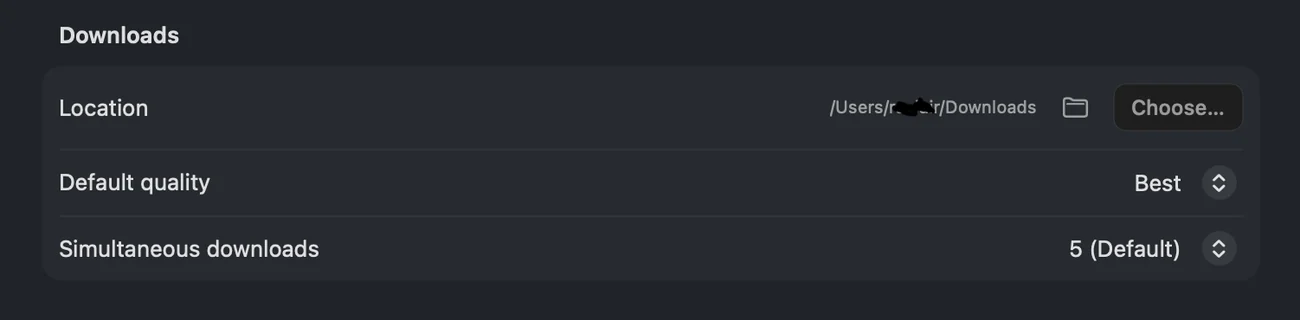
- 5 by default, configurable 1–10
- Network
- Status feed, an engine version check, and the downloads you start. Nothing else.
- Storage
- Plain JSON in ~/Library/Application Support/VidNeat/
- App size
- ~99 MB installed, ~66 MB download
The 99 MB installed size is mostly the download and media components bundled inside the signed app. That is deliberate: it is why extraction works with no third-party binary to install, trust or keep up to date.
How does this differ from Downie or PullTube?
Both are capable downloaders built around filling a library. This one is built around cutting a clip. We spell out the difference, including where the other tools are the better choice.
Get the clip you need. Not the entire video.
A native Mac downloader that fetches the range you mark and cuts by copying streams. Requires macOS 14.0 Sonoma or later.
VidNeat is a software tool. You are responsible for having the rights or permission to access, use, edit and export the media you work with.