
One payment, then it is yours
There is no tier to upgrade to and nothing metered. What you buy is version 1.0.5 with every feature in it, and the updates that come after.
VidNeat for Mac
Up to 3 personal Macs
- The full macOS application, universal for Apple Silicon and Intel
- Selective range fetching on every download
- Stream-copy trimming, with Retry Trim for a bad boundary
- Audio Studio: MP3, M4A, FLAC, WAV, Opus
- Channels with hourly checks, and playlist curation
- Subtitles embedded or as .srt, plus SponsorBlock
- Browser extension, bookmarklet, and the vidneat:// URL scheme
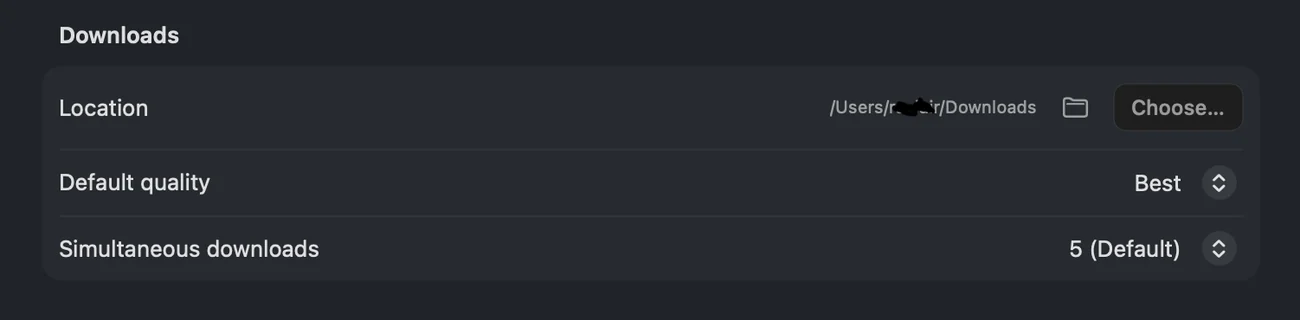
- Menu bar companion, five parallel downloads
- Lifetime software updates
Installing
brew install --cask vidneat/vidneat/vidneat- Step 1
Open Terminal
- Step 2
Paste the command and press Return
- Step 3
Open VidNeat from Launchpad or Spotlight
- Prefer a disk image? Download the DMG instead.
7 days free, every feature
The trial is the full app with no account and no card, so you know exactly what you are buying. For that reason all sales are final. Questions before you buy? Email support@vidneat.app. Full terms are in section 4 of the Terms of Service.
Rights
VidNeat is a software tool. You are responsible for having the rights or permission to access, use, edit and export the media you work with.
Configurable, and out of the way
Nothing here needs configuring before you start. When you do want to change it, it is one row in Settings rather than a dialog.
Things people ask before paying
Is this a subscription?
No. It is a single $14.99 payment for the Lifetime Pass. No monthly or annual billing, and nothing expires.
Do I get future updates?
Lifetime software updates. Extraction fixes ship inside ordinary signed app updates, so you are never asked to approve a replacement binary being downloaded at runtime.
How many Macs can I use it on?
Up to 3 personal Macs. A personal licence cannot be resold or redistributed, and is not a site or organisation licence.
Does it process video in the cloud?
No. Extraction, trimming, muxing and audio encoding all run locally inside the signed app. No media, no URLs and no metadata are uploaded anywhere.
Do I need an account?
No account and no sign-in. After purchase you receive a licence key, which the app activates once per Mac with our payment provider and re-checks about once a day; it keeps working offline for up to seven days between checks. Queue state and settings are plain JSON in ~/Library/Application Support/VidNeat/ on your own disk.
Which Macs are supported?
macOS 14.0 Sonoma or later, running natively on Universal binary — Apple Silicon (M1–M4) and Intel.
Can I try it before paying?
Yes. Download VidNeat and every feature works free for 7 days from first launch, with no account and no card. After that, downloading needs a licence; your queue, library and settings stay exactly as they were. Because the trial is the full product, all sales are final.
Does it get videos from every site?
It works with whatever the bundled extraction engine supports, which is far wider than YouTube alone. A given site can still change its own delivery and break any downloader until an update ships.
Get the clip you need. Not the entire video.
A native Mac downloader that fetches the range you mark and cuts by copying streams. Requires macOS 14.0 Sonoma or later.
VidNeat is a software tool. You are responsible for having the rights or permission to access, use, edit and export the media you work with.