
HLS Stream Recorder: How to Save an HLS Stream as MP4
How HLS is built (playlist types, variants, TS and fMP4 segments), what a downloader does to make one MP4, and how live streams differ. Measured.
On this page
An HLS stream downloader turns a stream into an MP4 in three steps. It reads the playlist, picks one quality variant, fetches every segment of that variant, and then copies the audio and video into an MP4 container. Done properly, nothing is re-encoded: the MP4 holds the same H.264 or HEVC video and AAC audio the server sent. A finished (VOD) stream can be saved at any speed. A live stream can only be recorded as it’s published, from roughly the live edge onwards.
This page is the protocol-level companion to downloading an M3U8 video to MP4. It explains how HLS is put together, what a recorder has to get right, and where the format differences bite. The measurements come from local test streams on an Apple M4 Mac running macOS 26.6.2, taken on 21 October 2026.
Rights first: record only streams you’re entitled to keep, such as your own broadcasts, your organisation’s events, or licensed material. DRM-protected streams are out of scope.
Key takeaways:
- A downloader picks one variant and fetches all of it, then remuxes to MP4; nothing is re-encoded.
- VOD playlists save in full at network speed; live playlists only keep a sliding window of at least 3 target durations (18 s with 6-second segments).
- TS segments append directly; fMP4 segments need their
#EXT-X-MAPinit section (1,374 bytes in my test). - Measured: 39.7 MB of TS became a 38.6 MB MP4, and a 15-second range fetched only 4 of 10 segments.
- For live HLS, FFmpeg starts 3 segments behind the edge by default; record to
.tsso an interrupted file still plays.
How an HLS stream is assembled
The specification is RFC 8216, published in August 2017 by Roger Pantos and William May. It’s an informational RFC rather than an IETF standard, which is how most of the industry uses it anyway. Apple’s HLS overview lists what the protocol supports: live and on-demand content, multiple alternate streams at different bit rates, switching between them as bandwidth changes, and media encryption and user authentication.
An HLS publisher does four things:
- Encodes a ladder. The same programme is encoded at several bit rates and resolutions.
- Cuts each rendition into segments. RFC 8216 calls a typical target duration 10 seconds. Apple’s authoring specification is stricter: target durations “SHOULD be 6 seconds”, segments must start with a keyframe (IDR), and IDRs should come every two seconds.
- Writes a media playlist per rendition that lists its segments in order.
- Writes a master (multivariant) playlist that lists the renditions, each with a required
BANDWIDTHand an optional, recommendedRESOLUTION.
- Master playlist
master.m3u8- Variant: 1920×1080, 5.3 Mbit/s
1080/index.m3u8- 10 × 6 s segments
seg_000.ts … seg_009.ts
- Variant: 1280×720, 2.8 Mbit/s
720/index.m3u8- 10 × 6 s segments
seg_000.ts … seg_009.ts
A player starts with one variant and switches up or down as its throughput changes, which is why a stream can look soft for a few seconds and then sharpen. A recorder shouldn’t do that. It should pick one variant and fetch all of it, so the file has the same quality from start to finish. That’s also the main advantage over screen recording, which captures whatever variant the player happened to be showing, re-encoded.
Finished, growing or live: the three playlist types
Whether a stream can be saved in full depends on its media playlist. RFC 8216 limits how a server may change one: it can append lines, remove segments from the start in order, increment the sequence numbers, and add #EXT-X-ENDLIST. The optional #EXT-X-PLAYLIST-TYPE tag narrows that further:
| Playlist | How to recognise it | What the RFC allows | What a recorder can save |
|---|---|---|---|
| VOD | #EXT-X-PLAYLIST-TYPE:VOD, ends with #EXT-X-ENDLIST |
The file “MUST NOT change” | All of it, at network speed |
| EVENT | #EXT-X-PLAYLIST-TYPE:EVENT |
Lines may be appended, but nothing changed or deleted | Everything from the start so far, then new segments as they appear |
| Live (sliding window) | No type tag and no #EXT-X-ENDLIST; #EXT-X-MEDIA-SEQUENCE keeps increasing |
Old segments are removed from the start | Only what’s still listed, then new segments as they appear |
There’s one useful guarantee for live recording. A server “MUST NOT remove a Media Segment” from a live playlist if that would leave less than three target durations listed. With 6-second segments, at least 18 seconds are always available behind the live edge, but not necessarily more.
TS or fMP4: what’s inside the segments
RFC 8216 allows MPEG-2 transport stream and fragmented MPEG-4 (fMP4) segments for video. A recorder has to handle both, and they’re joined differently.
MPEG-2 transport stream (.ts). These are self-contained: each segment carries its own stream information in fixed-size 188-byte packets, so they can be appended one after another. My test segments started with the transport stream sync byte 0x47, and each was an exact multiple of 188 bytes. The TS merging page covers the details.
Fragmented MPEG-4 (.m4s). These segments can’t be parsed alone. They need a Media Initialization Section, which the playlist names with #EXT-X-MAP, and which “MUST NOT contain sample data”. My fMP4 test playlist looked like this:
#EXTM3U
#EXT-X-VERSION:7
#EXT-X-TARGETDURATION:6
#EXT-X-MEDIA-SEQUENCE:0
#EXT-X-PLAYLIST-TYPE:VOD
#EXT-X-MAP:URI="init.mp4"
#EXTINF:6.000000,
seg_000.m4s
The init.mp4 was 1,374 bytes, just the codec setup. Fetch the segments without it and you have media data that nothing can decode. Apple’s authoring spec makes fMP4 mandatory for HEVC, AV1 and some audio codecs, so you’re more likely to meet it on newer and higher-resolution streams.
What a downloader has to do, step by step
- Read the master playlist
#EXT-X-STREAM-INFList the variants - Choose one variantBy height, bandwidth or codec, not by what a player would switch to
- Read its media playlist
#EXTINF · #EXT-X-MAPSegment order, plus the init section for fMP4 - Fetch every segment5 at a time, 10 retries each, backing off from 1 to 10 s
- Copy into MP4No re-encode; TS is re-wrapped, fMP4 joined
The last step is a remux, not a conversion. Transport streams carry overhead that MP4 doesn’t, so the file gets slightly smaller even though the video is unchanged. In my test, ten TS segments totalling 39.7 MB became a 38.6 MB MP4, 2.7% smaller, with identical codecs, resolution and duration.
Measured: VidNeat on four HLS layouts
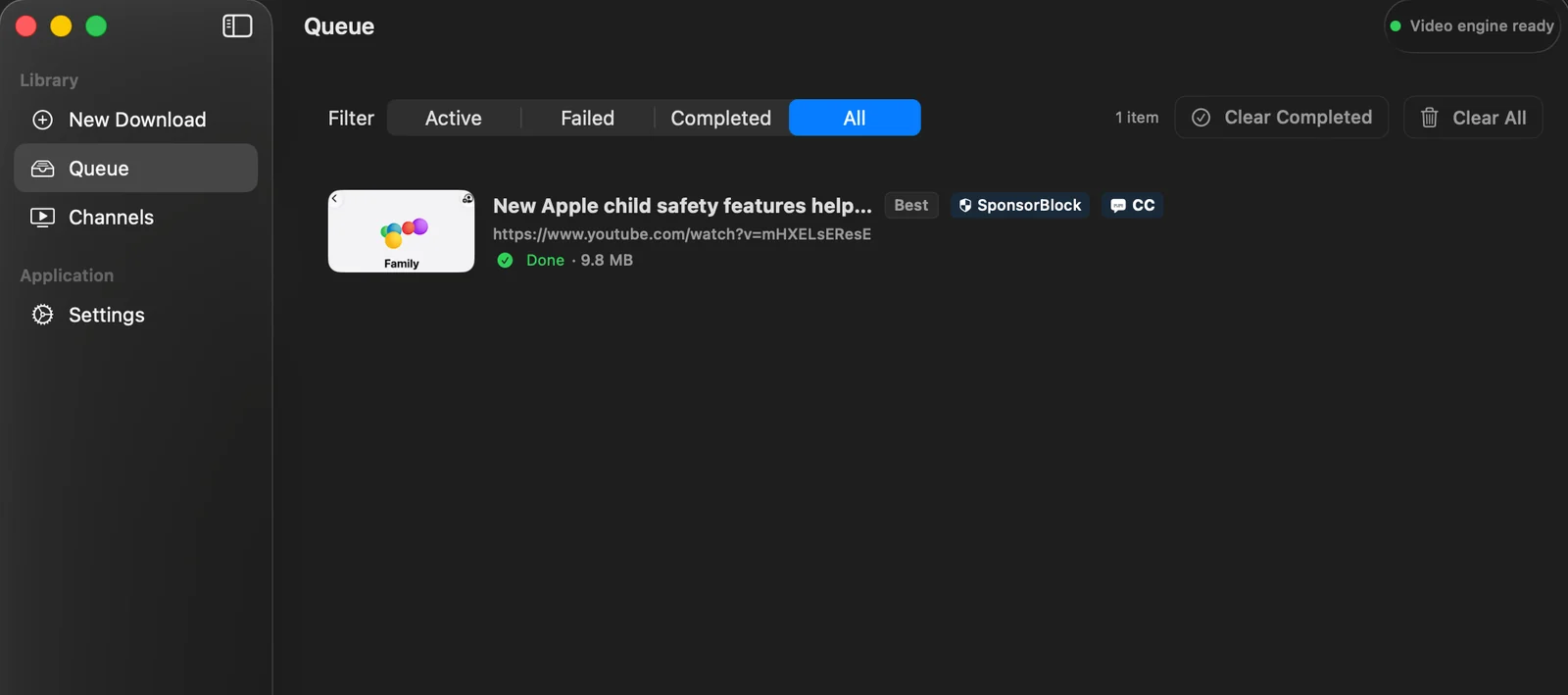
VidNeat is our app, and HLS is one of the formats its bundled engine reads. I ran that engine with the arguments the app builds for a download, against streams served from my own Mac. Here’s what came out:
| Stream layout | Quality setting | Output |
|---|---|---|
| Master playlist, TS segments, 1080p + 720p | 1080p | 1920×1080 H.264 + AAC MP4, 60.03 s, 38.6 MB |
| Same | 720p | 1280×720 MP4, 60.03 s, 19.8 MB |
Single media playlist, fMP4 segments with #EXT-X-MAP |
Best | 1920×1080 MP4, 60.09 s, 38.5 MB |
| Single media playlist, TS segments | Best | 1920×1080 MP4, 60.03 s, 38.6 MB |
The last two rows needed Best, not a height. A media playlist on its own has no RESOLUTION attribute, so a quality capped at 1080p fails with “Requested format is not available”. When you paste such a link and let VidNeat inspect it, the quality menu only offers Best (and Audio) and selects it, so the normal flow works. It’s Smart Mode, which skips inspection, that can trip on this. The M3U8 page has the full walkthrough.
Limits, plainly: I didn’t test VidNeat on live playlists or encrypted streams, it can’t send custom headers, and it can’t save DRM-protected video. For live recording, use FFmpeg as below.
Recording only part of a stream
Because every segment is a separate request, a downloader that knows your time range can skip the rest. With In and Out set to 0:20 and 0:35, VidNeat’s engine requested segment 0 (to probe the stream) and segments 3, 4 and 5. That’s 4 of the 10 segments, and it produced a 15.12-second, 11.0 MB file. The extra 0.12 seconds is because a cut made without re-encoding starts on a keyframe. Keyframe boundaries explains why, and selective segment fetching shows the controls.
Recording a live HLS stream
I didn’t test VidNeat on a live playlist for this page, so I’m not making claims about how it behaves on one. FFmpeg’s behaviour is documented, and it’s the tool I’d reach for:
ffmpeg -i "https://example.com/live/index.m3u8" -c copy -f mpegts recording.ts- Where it starts. Running
ffmpeg -h demuxer=hlsshowslive_start_index, whose default is-3: “segment index to start live streams at (negative values are from the end)”. So by default, a recording starts three segments behind the live edge, not at the start of the event. Use-live_start_index 0to start from the oldest segment still listed. - Why TS while recording. A standard MP4 writes its index when the file is finished, so a recording that’s cut off can leave an MP4 without one. A transport stream has no such index, so an interrupted
.tsis still playable up to the break. Pressqto stop FFmpeg cleanly, then remux withffmpeg -i recording.ts -c copy recording.mp4. - EVENT playlists can’t have segments deleted under RFC 8216, so a recording started late with
-live_start_index 0can still pick up the event from the beginning.
HLS recorder vs screen recording
| HLS downloader (stream copy) | Screen recording | |
|---|---|---|
| Quality | The variant you choose, bit for bit | Whatever was on screen, re-encoded |
| Speed (VOD) | As fast as the network | Real time |
| Ads, overlays, pointer | Not included | Included if on screen |
| Works on DRM-protected video | No | Not a way around DRM either |
| Partial range | Yes, by segment | Start and stop by hand |
Common questions
Why did my recording come out as .ts instead of .mp4?
Some tools save HLS in its original transport stream container. It plays in VLC and remuxes to MP4 in seconds with ffmpeg -i in.ts -c copy out.mp4. VidNeat always writes video downloads as MP4.
Can a recorder save every quality at once?
Each variant is a complete copy of the programme, so you’d download it several times over. Pick the one you need.
What about AES-128 encrypted segments?
RFC 8216 defines #EXT-X-KEY with the methods NONE, AES-128 and SAMPLE-AES. I didn’t test encrypted streams, and this page doesn’t cover them. If a playlist has a key line other than METHOD=NONE, assume it’s protected.
How do I record a live HLS stream?
ffmpeg -i "URL.m3u8" -c copy -f mpegts recording.ts, then press q to stop and remux with ffmpeg -i recording.ts -c copy recording.mp4. Add -live_start_index 0 to start from the oldest segment still listed.
How do I convert HLS to MP4?
Point FFmpeg or a stream downloader at the .m3u8 and copy the streams into MP4. Our M3U8 to MP4 guide has the step-by-step version.
Is HLS the same as DASH?
No, but they work in a similar way. DASH uses an XML manifest instead of text playlists, and it usually keeps audio and video in separate files. See converting an MPEG-DASH .mpd to MP4.
Summary
- HLS is a ladder of variants, each a media playlist of segments, with a master playlist on top.
- A recorder picks one variant and fetches all of it, unlike a player, which switches between them.
- VOD playlists can be saved in full. Live playlists only keep a sliding window, guaranteed to be at least three target durations long.
- TS segments can be appended. fMP4 segments need their
#EXT-X-MAPinit section. - The final step is a remux, not a re-encode. My 39.7 MB of TS became a 38.6 MB MP4 with the same video.
Related reading
How to Download an M3U8 Video to MP4 on Mac (and From Chrome)
An .m3u8 is a text playlist, not a video. What's inside one, why a browser save fails, and three tested ways to turn it into one MP4 on a Mac.
How to Combine .ts Video Segments Into One MP4 on Mac
Four ways to join .ts segments into one MP4, measured on the same files: three keep exact timing, one adds a gap at every join. Plus two traps.
How to Download an Embedded Webinar Recording (M3U8) for Your Archive
Embedded webinar replays usually stream as HLS. Try the platform's download first, then the .m3u8, with sign-ins handled and only the part you need.
Selective segment fetching
Mark a range first, and only the segments it overlaps are requested.
Get the clip you need. Not the entire video.
A native Mac downloader that fetches the range you mark and cuts by copying streams. Requires macOS 14.0 Sonoma or later.
VidNeat is a software tool. You are responsible for having the rights or permission to access, use, edit and export the media you work with.