
Send it however you found it
Copying a URL out of a browser and pasting it into a downloader is a small, repeatable annoyance. Three ways to skip it, none of which require a cloud service to be involved.
Companion extension
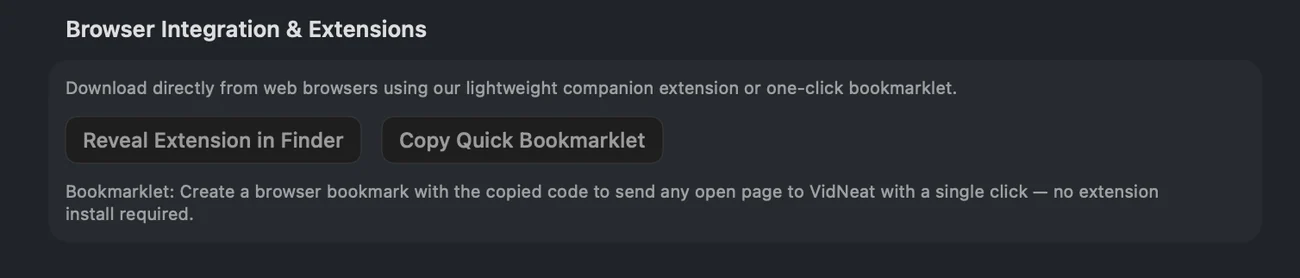
Right-click any page and send it to VidNeat, as video or as audio. Its popup lets you pick a quality and turn on subtitles and SponsorBlock before handing the link over. The link opens in New Download, or goes straight to the queue if Smart Mode is on in Settings.
- Manifest V3, two context-menu entries: download video, or download audio only
- Works in Chrome, Brave, Edge, Opera and Vivaldi
- Permissions are contextMenus and activeTab — nothing else is requested
- No analytics, no remote telemetry, no data leaves your machine
Ships inside the app bundle and is revealed in Finder from Settings. It loads unpacked, so enable Developer mode in your browser first.
Bookmarklet
No extension, no permissions, no install. Copy one line from Settings, paste it into a browser bookmark, and any page you are looking at becomes a download button.
javascript:window.location.href='vidneat://download?url='+ encodeURIComponent(window.location.href);vidneat:// URL scheme
For automation. Shortcuts, scripts, Alfred, Raycast, a scheduled job — anything that can open a URL. Also usable as a.webloc dragged onto the app.
vidneat://download?url= https://example.com/watch?v=ID& quality=1080pHand that URI to whatever you automate. It opens in New Download with the link inspected, or queues at once if you have switched on Smart Mode in Settings. A link can't start a download by itself.
URL scheme parameters
A bare vidneat:// followed by the target also works, andvidneat://queue?url=… is accepted as a synonym for download. Whether a link queues straight away is decided by Smart Mode in Settings, never by the link.
- url
- The link to fetch. Required.
- quality
- 4k, 2160, 1080, 720, audio, or best.
- sponsorblock
- Set to 1 to apply your SponsorBlock categories during the download.
- subtitles
- Set to 1 to fetch captions in your configured mode and language. Ignored when a trim range is set.
- trimin / trimout
- Start and end in seconds (such as 90), passed through as a section request.
- filename
- Names the output, after sanitisation. Applied when Smart Mode queues the link directly.
- smart
- Accepted for older links but has no effect. Smart Mode in Settings decides whether a link queues at once.
Borrowing a session, not your password
Some videos are gated: age-restricted, subscriber-only, or behind a bot check. Point VidNeat at the browser you are already logged into and it reads the session cookies locally through macOS Keychain Services so the request looks like one you already made.
You are never asked for a password, and no password or credential is ever stored, transmitted or uploaded. Off by default — chooseNone and nothing changes.

- Safari
- Google Chrome
- Brave
- Firefox
- Microsoft Edge
- Chromium
- Vivaldi
Cookies are deliberately withheld from the fallback attempt, so the retry is anonymous. That keeps a signature or rate-limit failure from being blamed on your account.
Related Workflows & Guides
Download a blob:https Video
Why the extension sends the page address when a video’s source is blob:.
Download an M3U8 Video to MP4
Find the playlist in Chrome DevTools and turn it into one MP4.
Channels & Playlists
Beyond one-off links: hourly channel checks and playlist curation.
Selective Segment Fetching
URL scheme and bookmarklet both carry the range you set.
Keyboard Shortcuts & Workflow
Every command, and the five ways to hand over a link.
Privacy Policy
Exactly what leaves your Mac, which is a short list.
Download a Video From a Website on Mac
Four methods, from the site’s own option to a downloader app, and their limits.
Get the clip you need. Not the entire video.
A native Mac downloader that fetches the range you mark and cuts by copying streams. Requires macOS 14.0 Sonoma or later.
VidNeat is a software tool. You are responsible for having the rights or permission to access, use, edit and export the media you work with.