
How to Download an M3U8 Video to MP4 on Mac (and From Chrome)
An .m3u8 is a text playlist, not a video. What's inside one, why a browser save fails, and three tested ways to turn it into one MP4 on a Mac.
On this page
To download an M3U8 video as an MP4 on a Mac, you need a tool that reads the playlist, fetches every segment it lists, and joins them into one file. Saving the .m3u8 itself doesn’t work, because it’s a short text file of links rather than a video. Find the playlist address in your browser’s developer tools, then give it to FFmpeg (ffmpeg -i URL -c copy out.mp4) or to a downloader app such as VidNeat. Both copy the streams into MP4 without re-encoding.
This page explains what’s inside an M3U8 playlist, shows why a browser download fails on one, and walks through the three methods I tested. Every number here comes from a local test stream: 60 seconds of 1080p H.264 with AAC audio, cut into ten 6-second segments, plus a 720p variant. I ran the tests on an Apple M4 Mac with macOS 26.6.2 on 21 October 2026.
Before you start: only archive streams you have the right to keep, such as your own uploads, your organisation’s recordings, or material licensed for download. Nothing here works on DRM-protected video, and this page doesn’t try to get around it.
Key takeaways:
- An
.m3u8is a text playlist, 231 bytes in my test. The video is in the segments it lists, often two levels down. - Find it in the Network panel by filtering for
m3u8; a JavaScript player’s requests show under Fetch/XHR, not Media. - FFmpeg converts it free:
ffmpeg -i URL -c copy out.mp4gave a 60.03-second 1080p MP4 (38.6 MB) without re-encoding. - Clipping first saves bandwidth: a 0:20 to 0:35 range requested 4 of 10 segments and gave an 11.0 MB file.
- Encrypted or DRM-protected playlists (
#EXT-X-KEYother thanNONE) are out of scope.
What an .m3u8 file actually contains
M3U8 is the playlist format of HTTP Live Streaming (HLS). HLS is defined in RFC 8216, an informational RFC published in August 2017. It says a playlist’s address must end in .m3u8 or .m3u, or be served as application/vnd.apple.mpegurl or audio/mpegurl. My local server sent the test playlist as application/x-mpegurl, and every tool here still read it, because they also go by the file extension.
RFC 8216 defines two kinds of playlist:
- A master playlist (Apple’s newer documents call it a multivariant playlist). Every link in it points to another playlist. Each
#EXT-X-STREAM-INFline describes one version of the video.BANDWIDTHis required.RESOLUTIONis optional, though the RFC recommends it for video, andCODECS“SHOULD” be present. - A media playlist. Every link in it points to a media segment, which is a few seconds of actual audio and video.
#EXTINFgives each segment’s duration, and#EXT-X-ENDLISTsays no more segments will be added.
- Master (multivariant) playlist
master.m3u8Lists the available versions. No video in it.- 1080p media playlist
#EXT-X-STREAM-INF:BANDWIDTH=5300000,RESOLUTION=1920x1080 → 1080/index.m3u8- Media segments
seg_000.ts … seg_009.tsTen 6-second MPEG-TS segments, 3.9 to 4.1 MB each
- 720p media playlist
#EXT-X-STREAM-INF:BANDWIDTH=2800000,RESOLUTION=1280x720 → 720/index.m3u8- Media segments
seg_000.ts … seg_009.ts
This is the start of the 1080p media playlist from my test, exactly as FFmpeg wrote it:
#EXTM3U
#EXT-X-VERSION:3
#EXT-X-TARGETDURATION:6
#EXT-X-MEDIA-SEQUENCE:0
#EXT-X-PLAYLIST-TYPE:VOD
#EXTINF:6.000000,
seg_000.ts
#EXTINF:6.000000,
seg_001.ts
RFC 8216 allows four segment formats: MPEG-2 transport streams (.ts), fragmented MPEG-4, packed audio, and WebVTT subtitles. The six-second length isn’t arbitrary either. Apple’s HLS authoring specification says target durations “SHOULD be 6 seconds”, and that keyframes should come every two seconds.
Why “Save video as” and a plain download fail
There are three separate reasons, and each one rules out a different shortcut:
- The playlist is just text. Downloading
master.m3u8from my test server withcurlgave a 231-byte file with no video in it. A downloaded media playlist is the same: a list of relative links likeseg_000.tsthat mean nothing once they’re separated from the server. - The video is split into many files. Even the right playlist needs every segment fetched, in order, and joined. My test stream had 10 segments per quality, and a two-hour stream cut the same way would have 1,200.
- The player often isn’t playing a file at all. Apple’s HLS overview describes HLS as sending media “over HTTP from an ordinary web server” for playback on Apple devices and macOS. Many sites instead use a JavaScript player that fetches the segments and feeds them to the
<video>element through Media Source Extensions. In that case the element’s address is ablob:URL that only exists inside that tab. See why a blob: video can’t be downloaded directly.
So the address you need is the playlist’s URL. The tool that uses it has to understand HLS.
Step 1: Find the .m3u8 address
In Chrome
Chrome’s Network panel reference covers the parts you need:
- Open the page, then open DevTools with View > Developer > Developer Tools (Option-Command-I on a Mac). Select Network.
- Reload the page and start the video. The panel only records requests made while it’s open.
- Type
m3u8into the Filter box. Per Google’s docs, the filter matches “the request URL, domain, hostname, or port”. - If there are several, the master playlist is usually the first one and is short. Right-click it and choose Copy > Copy URL, or Copy > Copy as cURL if you also want the headers the browser sent.
Don’t rely on the Media type filter here. A JavaScript player fetches playlists and segments with fetch() or XHR, so they’re listed under Fetch/XHR instead. On my test page, all 11 segment requests were fetch() calls.
In Safari
Turn on Show features for web developers in Safari > Settings > Advanced, then open Web Inspector with Option-Command-I and use its Network tab the same way. The Safari steps, with Apple’s documentation, are in our guide to downloading a video from a website on Mac.
Step 2, option A: Convert with FFmpeg (free)
FFmpeg reads an HLS playlist directly and can copy the streams into MP4 without re-encoding:
ffmpeg -i "https://example.com/path/master.m3u8" -c copy video.mp4Given my master playlist, FFmpeg 8.1.2 picked the 1080p variant and wrote a 60.03-second MP4 with H.264 video and AAC audio (38.6 MB). FFmpeg lists every variant’s streams as separate “programs”. To choose another one, use -map, for example -map 0:p:1 for the second program.
If the server checks where the request came from, FFmpeg’s HTTP options can send the same headers as the browser. ffmpeg -h protocol=http lists them, including -referer, -user_agent and -headers:
ffmpeg -referer "https://example.com/watch" -i "https://cdn.example.com/master.m3u8" -c copy video.mp4To install FFmpeg on a Mac and cut clips from the result, see trimming with FFmpeg without re-encoding. The FFmpeg command generator builds the command with any headers for you, and the M3U8 inspector shows what a playlist contains before you download it.
Step 2, option B: Convert with VidNeat
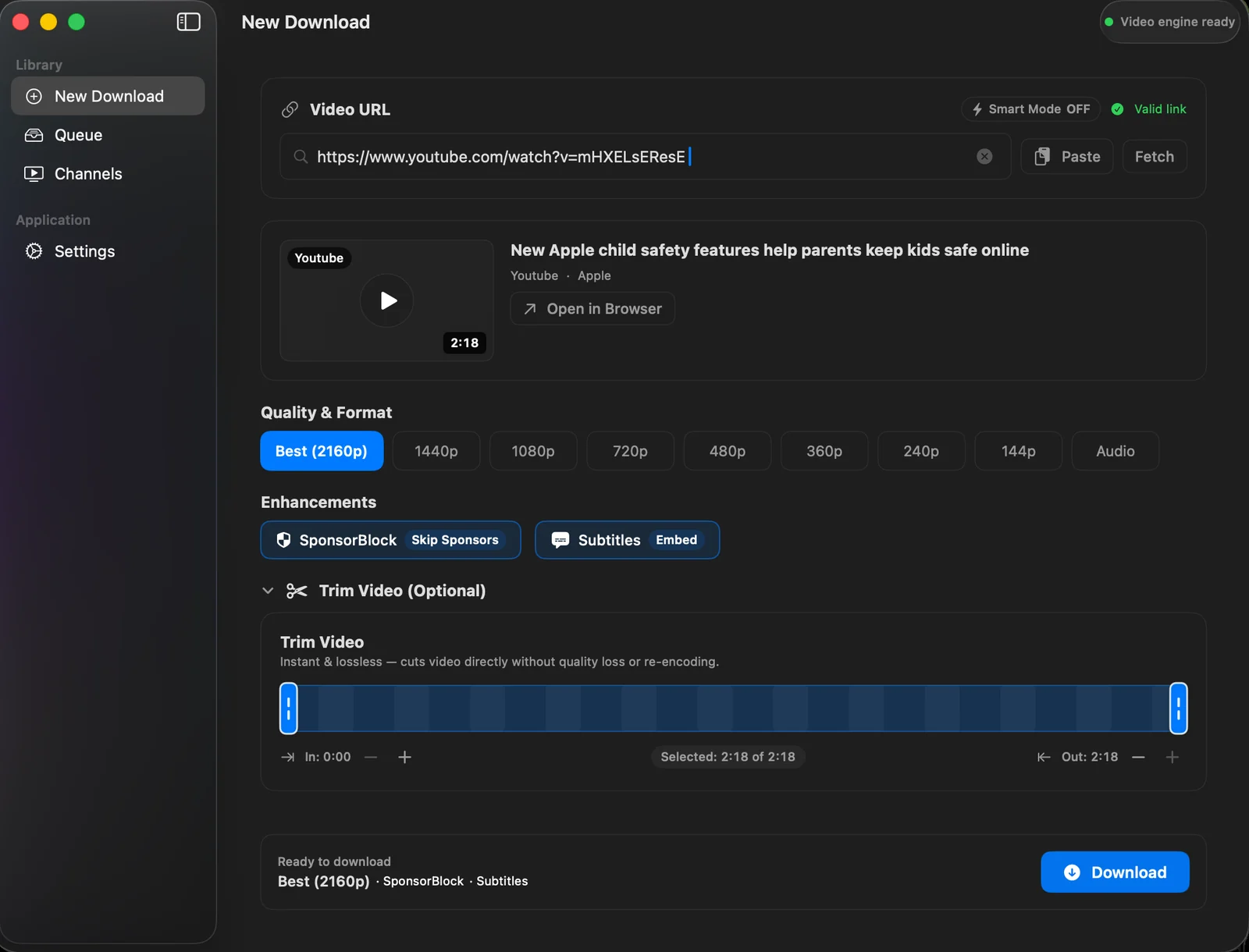
VidNeat is our app. It accepts a playlist address in the same field it uses for any video link, and its bundled engine handles HLS. This is the route I measured, using the same arguments the app builds for a download:
- Paste the address
master.m3u8Into Video URL, or ⇧⌘V - InspectThe master playlist's RESOLUTION values fill the quality menu
- Pick a qualityIn my test: Best (1080p) or 720p
- Fetch segments5 at a time, each retried up to 10 times
- Write one MP4Streams copied into MP4, not re-encoded
| Test (21 Oct 2026) | Result |
|---|---|
| Master playlist, 1080p preset | 1920×1080 H.264 + AAC in MP4, 60.03 s, 38.6 MB |
| Same playlist, 720p chosen | 1280×720 MP4, 60.03 s, 19.8 MB |
| Same playlist, range 0:20–0:35 | 15.12 s MP4, 11.0 MB; the server log shows 4 of the 10 segments were requested |
| A single media playlist, inspected first | 1080p MP4, 60.03 s |
The range test shows why clipping before downloading saves bandwidth with HLS. Each segment is a separate request, so the engine only asks for the segments that overlap your range. That was segments 3 to 5 (0:18 to 0:36), plus segment 0, which it read to probe the stream. The cut starts on a keyframe, which is why it came out at 15.12 seconds rather than exactly 15. Selective segment fetching explains the feature, and why lossless cuts land on keyframes explains the extra fraction of a second.
One caveat I found while testing. Some playlists carry no resolution: a media playlist on its own, for example, or a master playlist without RESOLUTION. With one of those, a quality capped at a height, such as the 1080p default, fails with “Requested format is not available”, because there’s no height to compare against. The normal paste-and-inspect flow handles this. When the stream declares no heights, the quality menu offers only Best (plus Audio if there’s sound) and selects it, and that download worked. The failure only happens when inspection is skipped, which is what Smart Mode and the browser extension’s right-click send do. They use your default quality straight away. If a playlist link fails that way, paste it into New Download with Smart Mode off.
Sending it from Chrome
The companion extension’s Download with VidNeat menu sends the address of the video you right-clicked if it’s an ordinary http(s) one, and the page address otherwise. If the page’s HTML names the playlist in a <video> or <source> tag, either works: my test page with <source src="/hls/master.m3u8"> downloaded the full 1080p stream from the page address alone. If the player builds the stream in JavaScript, the video’s address is a blob: and the playlist isn’t in the HTML, so copy the .m3u8 from DevTools as in Step 1 and paste it in. The extension, the bookmarklet and the vidneat:// link scheme are covered on the browser integration page.
Which method should you use?
| Browser “Save” / curl on the playlist | FFmpeg | VidNeat (our app) | |
|---|---|---|---|
| What you get | The text playlist only | One MP4, streams copied | One MP4, streams copied |
| Picks a quality | No | First video program by default; -map to choose |
Quality menu from the playlist’s variants |
| Fetch only part | No | Yes, by time on the input, with effort | Set In and Out first; only overlapping segments are requested |
| Custom request headers | curl, yes | -referer, -headers |
No field for them |
| Cost | Free | Free | $14.99 once, 7-day trial |
Limits, plainly: VidNeat has no field for custom request headers, needs macOS 14 or later, and can’t save encrypted or DRM-protected streams. A playlist with no resolution needs the paste-and-inspect flow, not Smart Mode.
FFmpeg is the right answer if you’re comfortable in Terminal or need to send custom headers. VidNeat suits you if you’d rather paste a link, choose from the qualities the playlist actually offers, and clip before downloading.
When none of these will work
- The playlist uses encryption or DRM. RFC 8216 defines
#EXT-X-KEYwith the methodsNONE,AES-128andSAMPLE-AES, and commercial services add DRM systems on top. If you see an#EXT-X-KEYline other thanMETHOD=NONE, or the site is a subscription streaming service, stop. VidNeat reports DRM-protected video as a permanent failure, and this page doesn’t cover it. - The address expires. Many CDNs sign playlist links with a token that’s only valid for a short time. Copy a fresh one and use it straight away.
- The server checks headers or cookies. A request without the browser’s referrer or session can be refused. VidNeat can borrow your browser’s session cookies from Settings, but it has no field for custom headers, so FFmpeg with
-refereror-headersis the fallback. - It’s a live stream. A playlist without
#EXT-X-ENDLISTis still growing. See recording an HLS stream to MP4 for what’s different.
Common questions
How do I download an M3U8 video in Chrome?
Open DevTools (Option-Command-I), go to Network, filter for m3u8, reload and play the video. Right-click the first, short playlist and choose Copy > Copy URL, then give it to FFmpeg or a downloader.
How do I convert M3U8 to MP4 with FFmpeg?
ffmpeg -i "URL.m3u8" -c copy video.mp4. If the server returns 403, add -referer or -headers before -i; the FFmpeg command generator writes them for you.
Can VLC or QuickTime play an .m3u8?
Many players can open an HLS address for playback, but playing it isn’t the same as saving one MP4 file. I didn’t test either app’s export for this page.
Will the MP4 be lower quality than the stream?
No. Both FFmpeg with -c copy and VidNeat copy the H.264 and AAC streams into the MP4 container unchanged. In my test, VidNeat’s 1080p output kept the same codecs and resolution as the source.
My playlist links to .m4s files instead of .ts. Does that matter?
Those are fragmented MP4 segments, the other common HLS format. VidNeat converted my fMP4 test stream to a 60.09-second MP4, and FFmpeg reads them too. The differences are covered in the HLS recorder breakdown.
I already have the .ts files on disk. Now what?
Then you don’t need the playlist. See how to combine .ts segments into one MP4. VidNeat only accepts links, not local files.
Summary
- An .m3u8 is a text playlist. The video is in the segments it lists, often two levels down.
- Find the playlist’s address in the Network panel by filtering for
m3u8. A JavaScript player’s requests appear under Fetch/XHR. - FFmpeg (
-i URL -c copy out.mp4) is free and handles custom headers. - VidNeat reads the playlist’s qualities, can fetch only the range you mark (4 of 10 segments in my test), and copies the streams into MP4. Paste and inspect a playlist with no resolution, rather than sending it with Smart Mode.
- Encrypted and DRM-protected streams are out of scope.
Related reading
HLS Stream Recorder: How to Save an HLS Stream as MP4
How HLS is built (playlist types, variants, TS and fMP4 segments), what a downloader does to make one MP4, and how live streams differ. Measured.
How to Download a blob:https Video (and Why You Can't Save It Directly)
A blob: address is memory inside one browser tab, not a file. What the specs say, what my tests showed, and how to find the real stream to save.
How to Combine .ts Video Segments Into One MP4 on Mac
Four ways to join .ts segments into one MP4, measured on the same files: three keep exact timing, one adds a gap at every join. Plus two traps.
Download a video from a website on Mac
Four methods, from the site's own option to screen recording, and where each stops.
Get the clip you need. Not the entire video.
A native Mac downloader that fetches the range you mark and cuts by copying streams. Requires macOS 14.0 Sonoma or later.
VidNeat is a software tool. You are responsible for having the rights or permission to access, use, edit and export the media you work with.